Map and Land Navigation3.0
Publisher Description


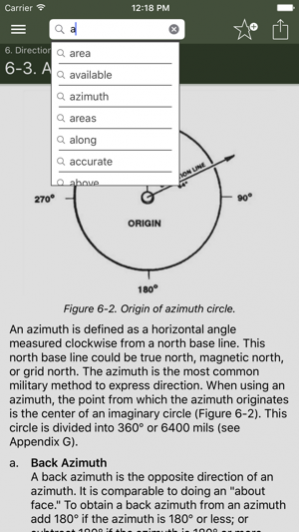

The Map and Land Navigation app is the U.S. Army’s official training guide to map reading, determining location, and navigating.
Learn how to:
* Use a compass
* Read maps
* Determine distance
* Understand terrain
* Use map symbols
* Gain usable celestial navigation skills
* Read aerial photographs
* Fold maps
* Understand Global Positioning System (GPS)
* Orienteer
Compass and map: no batteries. GPS: batteries. Batteries can die. Make sure you know how to use a compass and map. It could be a life and death decision.
Army produced complete, clear, and thorough guide to map reading and navigation available and we’ve brought it to the iPhone.
Jul 10, 2017 Version 3.0
* Updated for compatibility with iOS 10 and above.
* Improved usability and sharing.
* Improved user interface and navigation
* Improved graphics
* Additional content and calculators
About Map and Land Navigation
The company that develops Map and Land Navigation is Double Dog Studios. The latest version released by its developer is 3.0.
To install Map and Land Navigation on your iOS device, just click the green Continue To App button above to start the installation process. The app is listed on our website since 2017-07-10 and was downloaded 20 times. We have already checked if the download link is safe, however for your own protection we recommend that you scan the downloaded app with your antivirus. Your antivirus may detect the Map and Land Navigation as malware if the download link is broken.
How to install Map and Land Navigation on your iOS device:
- Click on the Continue To App button on our website. This will redirect you to the App Store.
- Once the Map and Land Navigation is shown in the iTunes listing of your iOS device, you can start its download and installation. Tap on the GET button to the right of the app to start downloading it.
- If you are not logged-in the iOS appstore app, you'll be prompted for your your Apple ID and/or password.
- After Map and Land Navigation is downloaded, you'll see an INSTALL button to the right. Tap on it to start the actual installation of the iOS app.
- Once installation is finished you can tap on the OPEN button to start it. Its icon will also be added to your device home screen.
Program Details
System requirements
Download information
Pricing
Version History
version 3.0
posted on 2017-07-10
Jul 10, 2017 Version 3.0
* Updated for compatibility with iOS 10 and above.
* Improved usability and sharing.
* Improved user interface and navigation
* Improved graphics
* Additional content and calculators
version 2.01
posted on 2009-09-19
version 3.0
posted on 1970-01-01
2017年7月10日 Version 3.0
* Updated for compatibility with iOS 10 and above.
* Improved usability and sharing.
* Improved user interface and navigation
* Improved graphics
* Additional content and calculators
